




Your everyday
writing companion
Instantly improve anything you write – emails, messages, posts, documents. Rewrite, shorten, expand, and fix with one click.
Write better, faster. Experience a modern-day workflow designed for both your business and personal needs.
WRITE BETTER EMAILS
Turn drafts into polished, smart replies
GAIN CONFIDENCE IN EVERY MESSAGE
Rewrite rough text into fluent, natural-sounding language
READ LESS, LEARN MORE
Get quick summaries of sites, docs, or emails
CREATE PROFESSIONAL WRITING
Polite, confident, friendly, formal – switch tone in one tap
Works everywhere. Be more productive across your favorite apps.















This is a beautiful card. Something cool you can do with your product can be described here.
This is a beautiful card. Something cool you can do with your product can be described here.
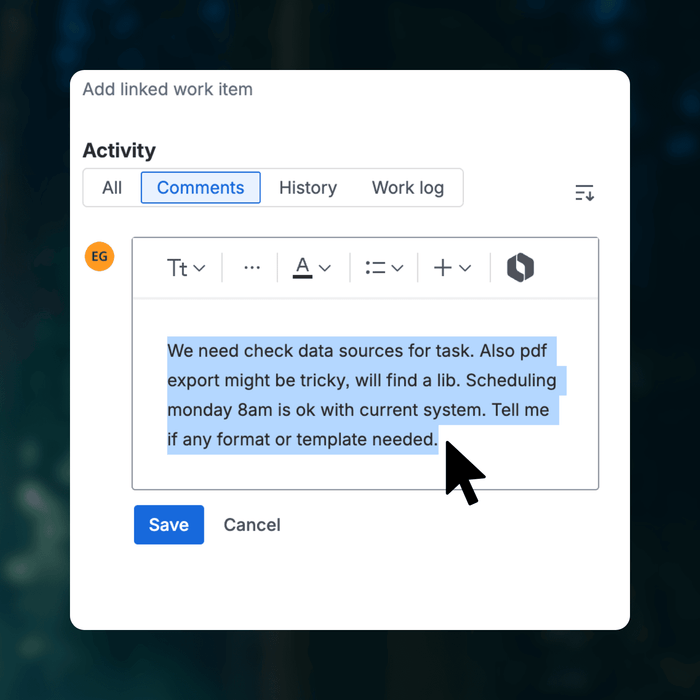
1. SELECT TEXT
Select the text you'd like to work with, e.g., improve
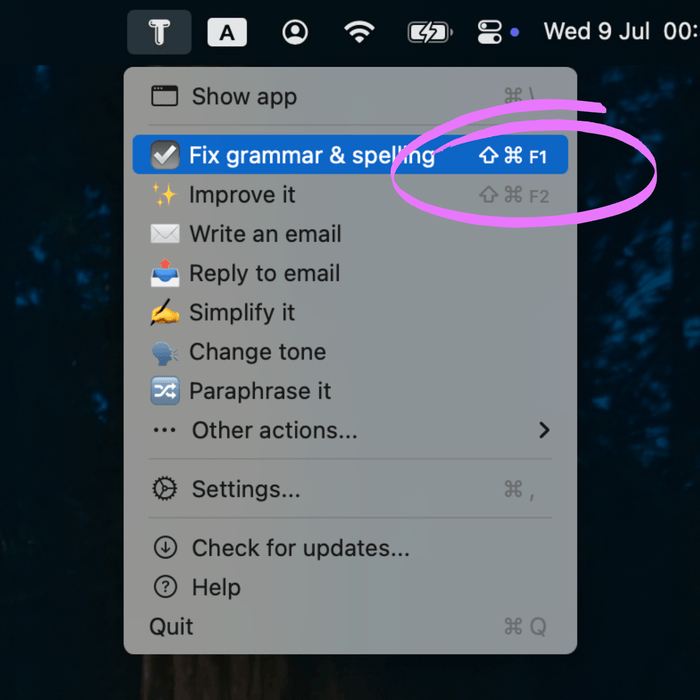
2. TRIGGER ACTION
Trigger an action from the status bar or using a keyboard shortcut
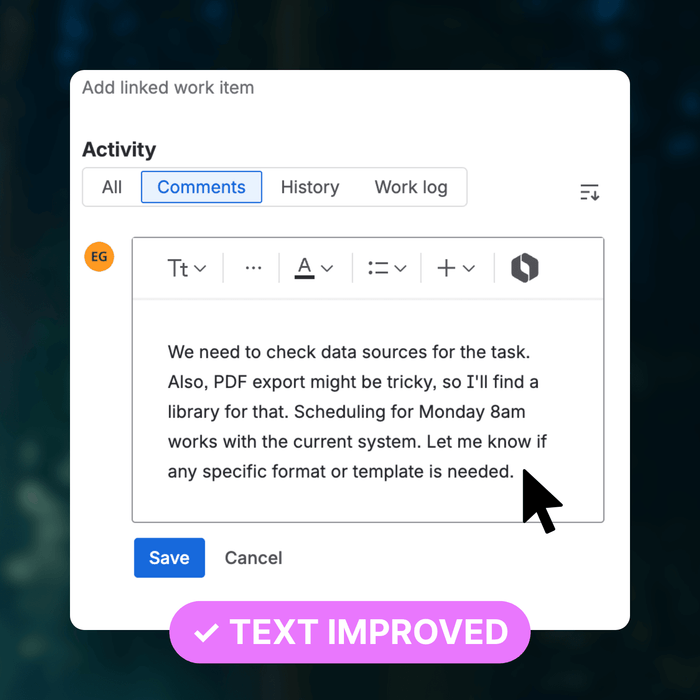
3. IMPROVE WRITING
Selected text is replaced with the action result
This is a beautiful card. Something cool you can do with your product can be described here.
This is a beautiful card. Something cool you can do with your product can be described here.
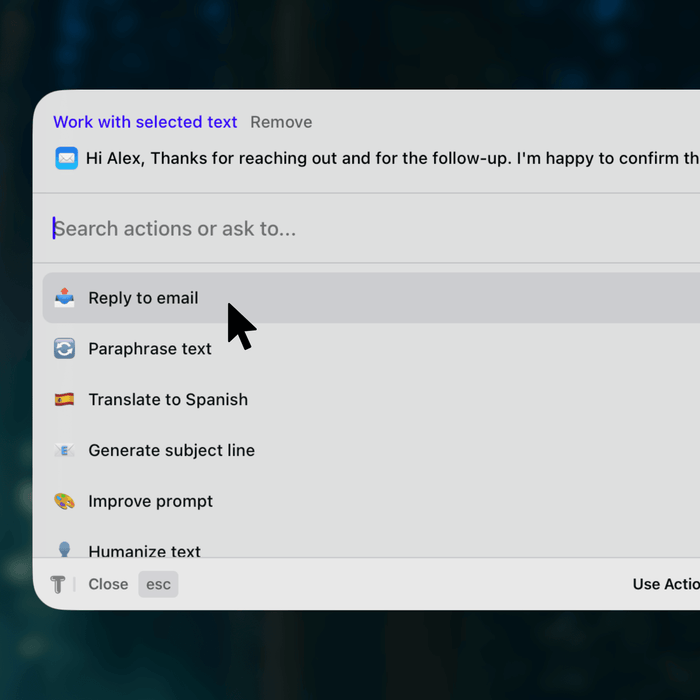
1. SELECT TEXT
Select the text and open the TextWisely app
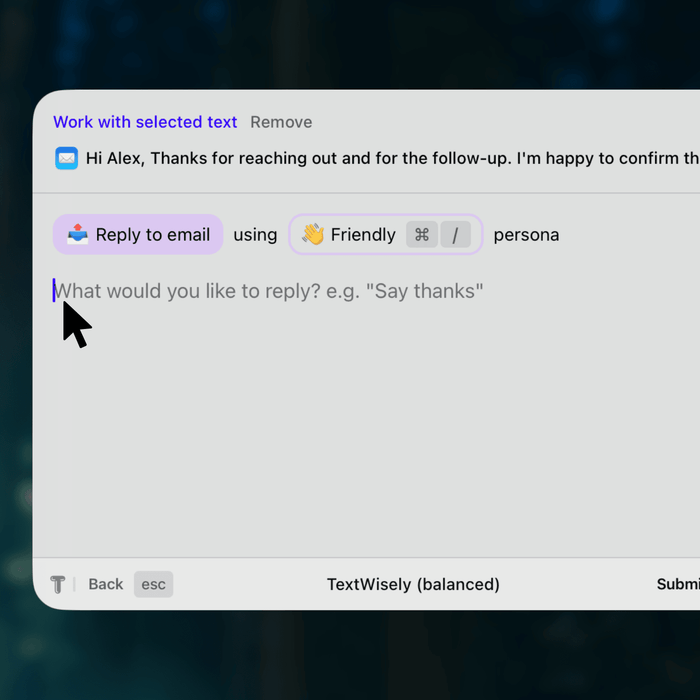
2. ENTER MESSAGE
Enter message for the action, e.g., email response draft
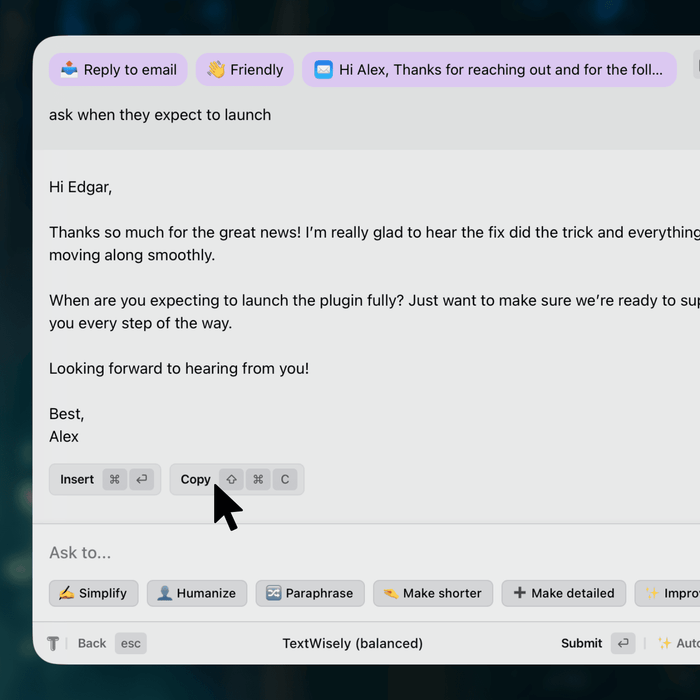
3. USE RESULT
TextWisely polishes your draft into a perfect email
Versatile writing companion. Customizable, private, and transparent.
👋 Early Member Pricing
SUBSCRIPTION
☕ Start with unlimited service for the cost of a coffee – your writing will thank you
$5
/ Month
$60 $48
/ Year
Unlimited use
Unlimited devices
Add custom models
Keyboard shortcuts
Offline use (with local models)
Unlimited updates
Programmable actions
Follow up actions
Custom tones & personas
Work in 39 languages
ONE-TIME PURCHASE
🔑 Use your own API key – no subscription, no recurring fees
$29
All subscription functionality
14-day money-back guarantee
Unlimited use (with API key)
Send request directly to AI provider
One-time payment
1 macOS device
1 Year of updates
Whether you're working with lots of text or just a few lines, we've got your back.
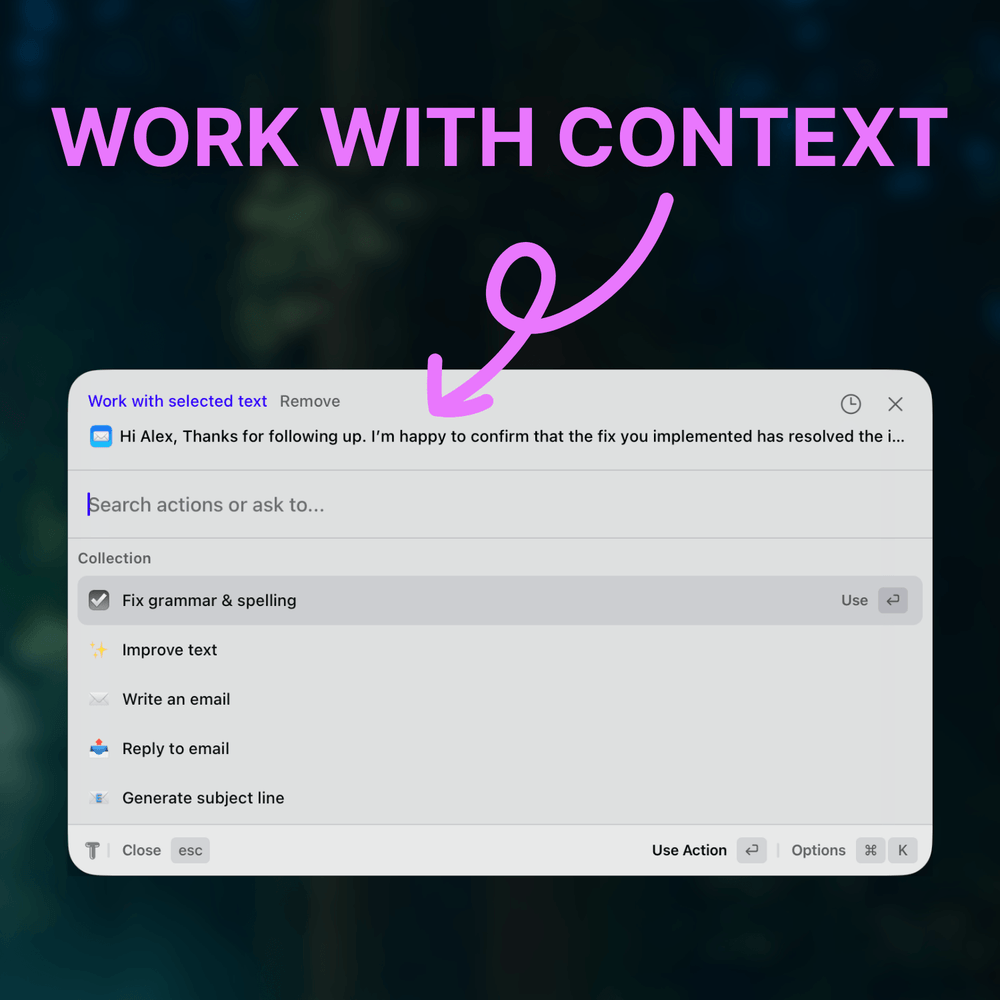
ADD CONTEXT
Use selected text as additional context for your actions
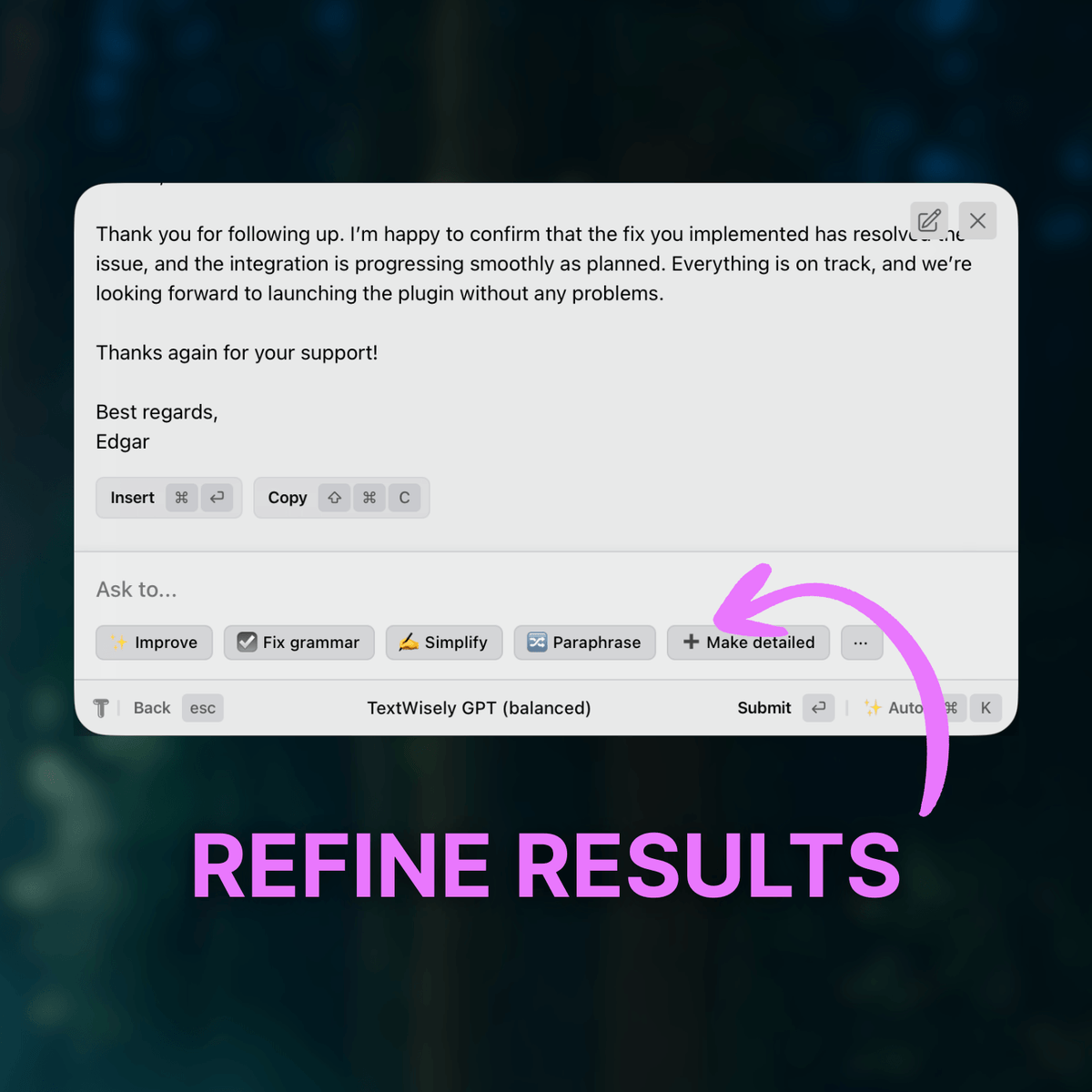
REFINE RESULTS
Iterate on responses to improve and adapt them to your liking
CUSTOMIZE & ADAPT
Add custom actions and configure personas to match your voice
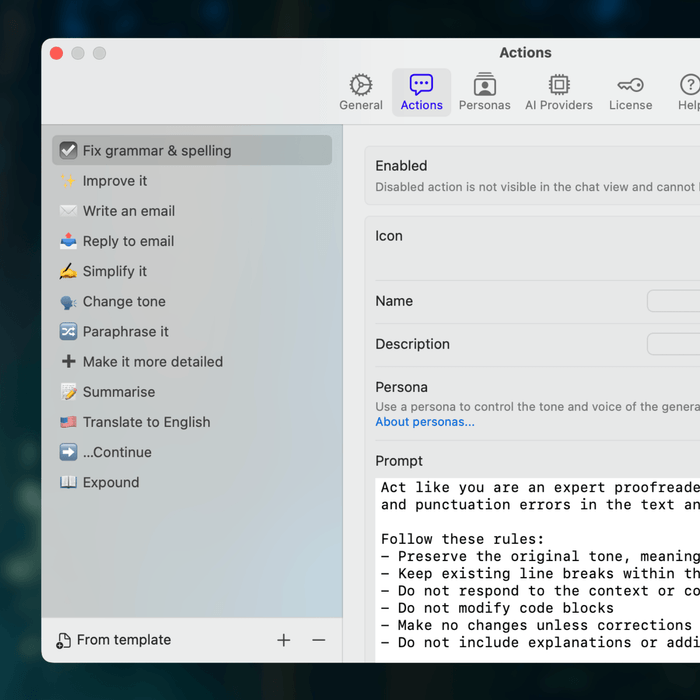
USE INSTANT ACTIONS
Set up shortcuts to trigger actions without breaking your flow
GO PRIVATE
Work offline with local models for full privacy and control
What's more? Take a look at current features.

CUSTOM ACTIONS
Create personalized actions for your frequent tasks, such as social media posts, summaries, text transformations, or any other writing tasks.

CUSTOM TONES
Create custom personas to match your tone of voice. Pair them with actions or use ad-hoc; they are always readily available.

PRIVATE & SECURE
Your text and API keys are kept secret; nothing is stored on our servers. For complete privacy, utilize local AI models, ensuring your text never leaves your machine.

KEYBOARD SHORTCUTS
Boost productivity with customizable keyboard shortcuts for instant access to actions and app functionality.

MULTILINGUAL SUPPORT
Write confidently across 39 languages, including English, Polish, Italian, Spanish, Portuguese, and German.

OPTIMISED EXPERIENCE
Native performance, keyboard workflows, and a deeply thought-through user experience.
AI chats aren’t built for quick writing tasks. TextWisely is.
Without TextWisely
❌ Constant copy-pasting between apps
❌ Repeating the same prompts again and again
❌ Generic responses that miss the point
❌ Interruptions, context switching, and delays
❌ Inconsistent tone and messy communication
With TextWisely
✅ Work directly inside any macOS app – no switching needed
✅ Reuse actions with shortcuts, avoid repetition
✅ Focused, relevant replies with attached context
✅ Stay in flow with instant actions
✅ Keep a consistent voice with custom tones and personas
How does it work?
TextWisely has two types of actions: Instant and Regular.
Instant actions: When you select text, you can trigger a one-off action using an assigned keyboard shortcut or from a status menu. This action will use the selected text. The text and action are submitted to the AI, and once a response is received, the text is either replaced in place or the response is displayed in a new window, depending on your settings.
Works best for quick, one-off actions like grammar fixes, edits, improvements, and in-place translations.
Regular actions: Open the action picker (⌘\ shortcut by default) and select an action from the list or type a one-off action. Opening the action picker with selected text will attach it as context for the action, but you can always change or remove it. Use the action picker to work with the attached context or provide input for an action.
Works best for more complex actions, such as replying to an email with an attached thread (context), or iterating to adapt responses.
Do you have a free trial?
We do not offer a free trial, but you can purchase a one-time license risk-free with a 14-day money-back guarantee. If you are not satisfied with the product for any reason within 14 days of purchase, simply contact us for a full refund.
How is it better than ChatGPT?
Unlike ChatGPT, which is general-purpose, TextWisely is specifically designed for quick text-based workflows.
It helps with your daily writing tasks, from fixing typos and overhauling texts to replying to emails and customer support – without having to repeatedly type or copy context for each response. You can combine TextWisely with ChatGPT: brainstorm ideas in ChatGPT, then quickly fine-tune tone, fix grammar, or rewrite parts using just one shortcut in TextWisely.
What is the difference between the subscription and the one-time license?
The subscription is all-inclusive and can be used without any additional costs. It includes unlimited service with a Fair Use Policy. Choose a monthly or yearly plan, and you are ready to go.
A one-time license allows you to use TextWisely with your own private API key. You obtain this key directly from an AI provider (e.g., OpenAI or Gemini) and are billed by them for the tokens used. This is a per-device perpetual license that includes one year of free updates. This means you own the app indefinitely and will receive updates for one year from the date of purchase. If you don't want to renew your license after one year, you can continue to use the last version of TextWisely that you have for as long as you want. You can renew your license for another year of updates at any time.
Are there any additional costs?
A subscription does not incur any additional costs. A one-time license, however, will incur costs associated with your API key usage, which depend on your plan, model, and provider.
Do you store my data?
No.
We do not store, sell or process your data or personal information, including the texts you submit, responses, and prompts.
Which languages are supported?
TextWisely has been extensively tested with English, German, Spanish, Portuguese, Polish, Russian, and Latvian. However, it can help you write better and smarter in 39 languages:
Arabic, Bengali, Bulgarian, Chinese (Simplified), Chinese (Traditional), Croatian, Czech, Danish, Dutch, English, Estonian, Finnish, French, German, Greek, Hebrew, Hindi, Hungarian, Indonesian, Italian, Japanese, Korean, Latvian, Lithuanian, Norwegian, Polish, Portuguese, Romanian, Russian, Serbian, Slovak, Slovenian, Spanish, Swahili, Swedish, Thai, Turkish, Ukrainian, Vietnamese.
Can I use it with any app or website?
Yes.
TextWisely works with any macOS app that supports selecting and/or typing text.
What happens after I purchase?
You will receive an email containing the download link and your unique activation key.
Can I get a refund?
A one-time license is a risk-free purchase that includes a 14-day money-back guarantee. If you are not satisfied with the product for any reason within 14 days of purchase, simply contact us for a full refund.
What is an API key?
An API key is a unique, secret code that acts like a digital key to unlock and use an AI service, such as ChatGPT. Think of it as a password specifically for accessing the AI's features. You obtain this key from the AI provider's website, and it's connected to your personal account, allowing the service to know who is making requests.
You will need an API key from a model provider of your choice for the one-time purchase app license.
How do I get an API key?
Here's a tutorial on how you can create an OpenAI API key.
This process varies depending on the AI provider. Please consult the official documentation of the specific provider you intend to use.
Do I need ChatGPT subscription for TextWisely?
No, if you have a TextWisely subscription plan, everything is included. A one-time purchase license doesn’t require a ChatGPT subscription either, but it does need a pay-as-you-go API key with an AI provider of your choice.
Can I change the license key to another computer after I activate it?
Yes. Navigate to your Customer Portal. There, you’ll find all devices linked to your license key, and you can unlink any device as needed.
I have lost my license key. How do I get it back?
Your licence can be found in the Customer Portal after logging in with your purchase email.
Does it work on Windows?
Not at this time. Please leave a feature request on the voting board if you would like to use TextWisely on Windows.
Can you add a feature?
Please vote and create feature requests on the Feature Request Board.